

Fix Corrupt OST File – Convert OST to PST in Minutes
Are you struggling with a corrupt OST file? If so, you're not alone. Many users face this frustrating issue, which can lead to the loss of important emails and data.
 vSoftware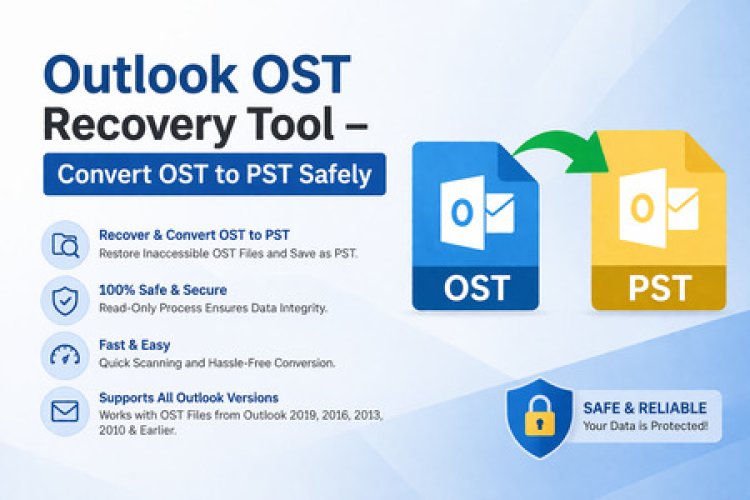
Are you struggling with a corrupt OST file? If so, you're not alone. Many users face this frustrating issue, which can lead to the loss of important emails and data. Fortunately, there's hope on the horizon! In just minutes, you can convert your problematic OST files into user-friendly PST format. This transformation not only helps recover lost information but also restores peace of mind in your email management system.
In this guide, we will take you through everything you need to know about fixing corrupt OST files and converting them to PST efficiently. Whether you're dealing with an unresponsive Outlook or simply looking for reliable solutions to safeguard your data, we've got you covered. Let’s dive right in!
Understanding OST and PST Files
OST (Offline Storage Table) and PST (Personal Storage Table) files are essential components of Microsoft Outlook, each serving a different purpose in managing your emails.
OST files allow users to work offline by storing copies of their mailbox data. This means you can access your messages, contacts, and calendar events without an internet connection. Once reconnected, any changes sync automatically with the server.
On the other hand, PST files are used primarily for archiving data. They store emails and other information that you want to keep but may not need immediately accessible in your active mailbox. PSTs are particularly useful for organizing older emails or freeing up space on your server.
Understanding these file types is crucial when encountering issues like corruption. Knowing how they function helps you navigate problems efficiently and find the best solutions for restoring lost data.
Causes of OST File Corruption
OST files can become corrupted for various reasons. One common cause is unexpected shutdowns or power outages while Outlook is running. These interruptions can disrupt the writing process, leading to file damage.
Another factor contributing to corruption is hard drive issues. Bad sectors on a storage device may prevent proper reading and writing of OST files. This can lead to missing data and errors during access.
Malware attacks pose another significant threat. Malicious software can manipulate, encrypt, or delete critical components within an OST file, rendering it unusable.
Software conflicts also play a role in corruption. Incompatible add-ins or outdated software versions might interfere with how Outlook processes these files.
Network connection problems during synchronization between the server and local machine can contribute to file integrity issues, causing further complications down the line.
Signs of a Corrupt OST File
Recognizing a corrupt OST file is crucial for maintaining your email integrity. One common sign is the frequent occurrence of error messages during synchronization with your mail server. If you see alerts that state "OST file cannot be accessed," something may be amiss.
Another indicator is abnormal behavior within your email client. This includes slow performance, unresponsive actions, or even crashes while attempting to open the OST file.
You might also notice missing emails or folders that seem to vanish without explanation. These issues can lead to significant data loss if not addressed promptly.
If attachments fail to open or display corrupted content, it's time to investigate further. Being aware of these signs will help you take swift action and potentially recover important information before it’s too late.
Manual Methods to Fix a Corrupt OST File
When facing a corrupt OST file, several manual methods can help restore your access. One common approach is using the built-in Inbox Repair Tool (Scanpst.exe). This utility scans and attempts to repair any issues within the OST file. Simply locate it on your system, run the tool, and follow the prompts.
Another method involves recreating the OST file entirely. To do this, you must first remove the existing corrupted file from Outlook settings. Afterward, simply restart Outlook; it will automatically generate a new OST file linked to your account.
If these options don’t yield results, consider disabling any add-ins or extensions that might interfere with Outlook's performance. Sometimes, third-party tools could be causing conflicts, contributing to corruption.
These techniques provide a good starting point for troubleshooting corrupt files without needing specialized software immediately.
Introduction to OST to PST Conversion
OST to PST conversion is a crucial process for anyone dealing with Microsoft Outlook. OST files, or Offline Storage Tables, allow users to work without an internet connection. However, when these files become corrupted, access to your emails and data can be severely impacted.
Converting an OST file into a PST file transforms it into a more manageable format. While PST files are designed for easy archiving and backup, they also ensure that you can recover lost data efficiently.
This conversion not only helps in accessing the required information but also aids in preventing future data loss. As businesses increasingly rely on digital communications, understanding how to convert OST to PST in minutes becomes essential for maintaining workflow stability and safeguarding important information.
Benefits of Converting OST to PST Format
Converting OST to PST format offers several advantages. First, it enhances accessibility. While OST files are tied to a specific Outlook profile, PST files can be easily transferred between different profiles and systems.
Another benefit is improved data recovery options. If your original Exchange server crashes or if you face connectivity issues, having a PST file ensures that your emails and other data remain intact.
PST files also allow for better organization of emails. Users can create folders within the PST structure, making it easier to manage large amounts of correspondence without clutter.
Moreover, converting to PST simplifies backup processes. Regularly backing up a single PST file is much more efficient than dealing with multiple OST files scattered across various accounts or devices.
Using the PST format helps in archiving old data seamlessly while still keeping it accessible when needed. This flexibility can significantly enhance productivity for users managing vast email histories.
How to Convert OST to PST using Professional Tools
Converting OST to PST can be simplified with the right professional tools. These specialized applications are designed to handle the intricacies of file conversion effortlessly.
First, choose a reliable software that supports OST to PST migration. Ensure it has good reviews and offers user-friendly features.
Once you’ve installed the tool, launch it and select your corrupt OST file. The interface usually provides clear prompts guiding you through the process.
Next, specify where you want to save the new PST file on your system. Some programs also allow customization options for how data is organized in the new format.
After configuring these settings, initiate the conversion process. Depending on your file size, this might take just a few minutes or longer for larger files.
Most tools will notify you once completed, allowing easy access to your newly converted PST file without hassle.
Conclusion
When dealing with corrupt OST files, it’s essential to act swiftly. Understanding the intricacies of OST and PST formats can be your first line of defense against data loss. Recognizing the signs of corruption ensures that you don’t miss critical information.
Manual methods to fix corrupt OST files may work for some users; however, they can often be time-consuming and not always effective. The introduction of professional tools has transformed how we approach these issues. Converting OST to PST is a practical solution that brings several benefits—most notably, ease of access and improved data management.
By utilizing specialized software for conversion, you save valuable time while ensuring your data remains intact. Whether you're facing minor issues or significant corruption, knowing how to convert OST to PST in minutes empowers you as a user.
Embracing technology helps simplify complex tasks like file recovery and format conversion. Take proactive measures today so that when challenges arise, you'll have the knowledge and tools at your disposal for a swift resolution.